Product
From the first file to the broker package
Carapace Risk follows one renewal from the first file you drop in to the package you send your broker. Each module shows a real screen with example data and is marked Built, In testing or Planned.
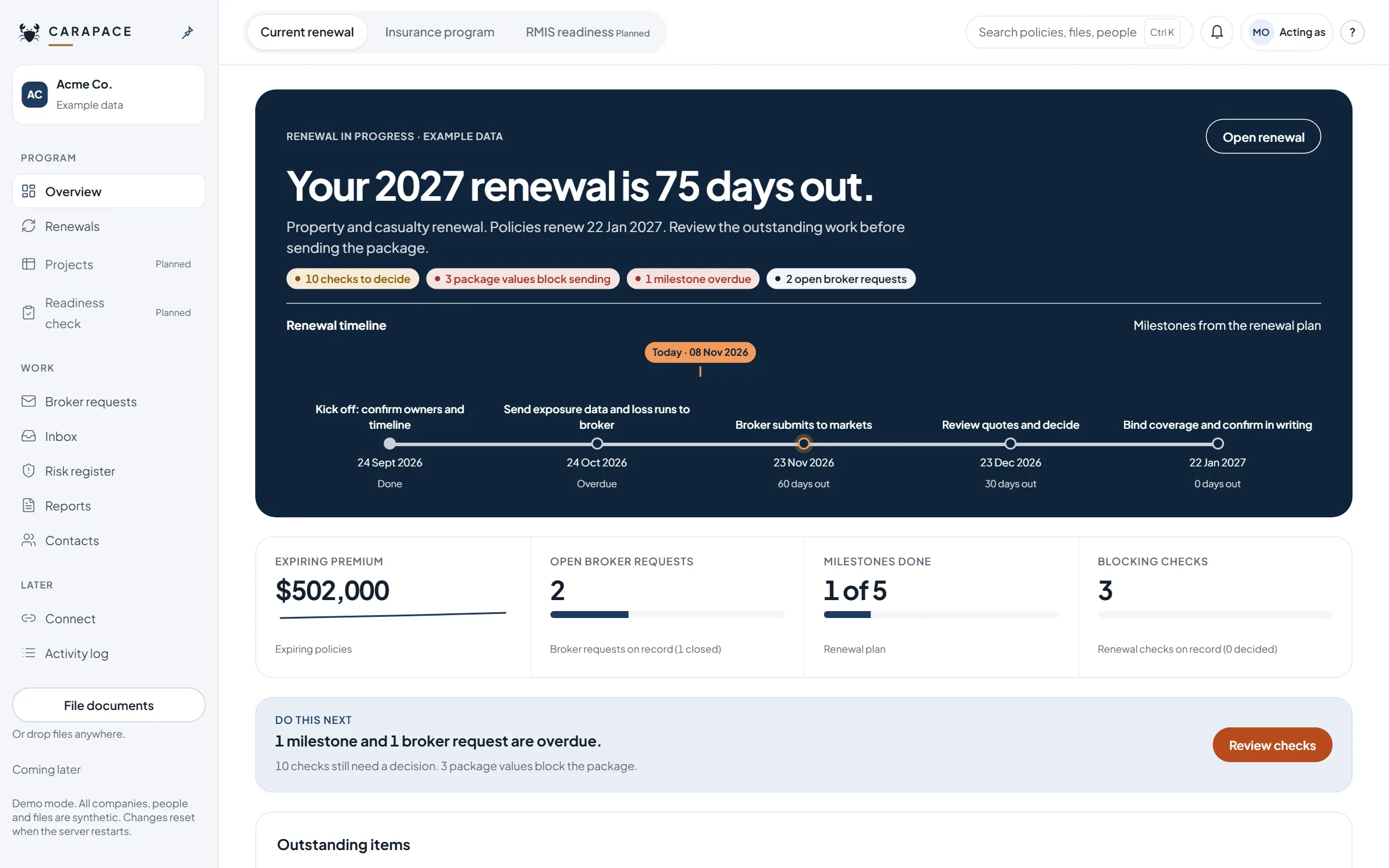
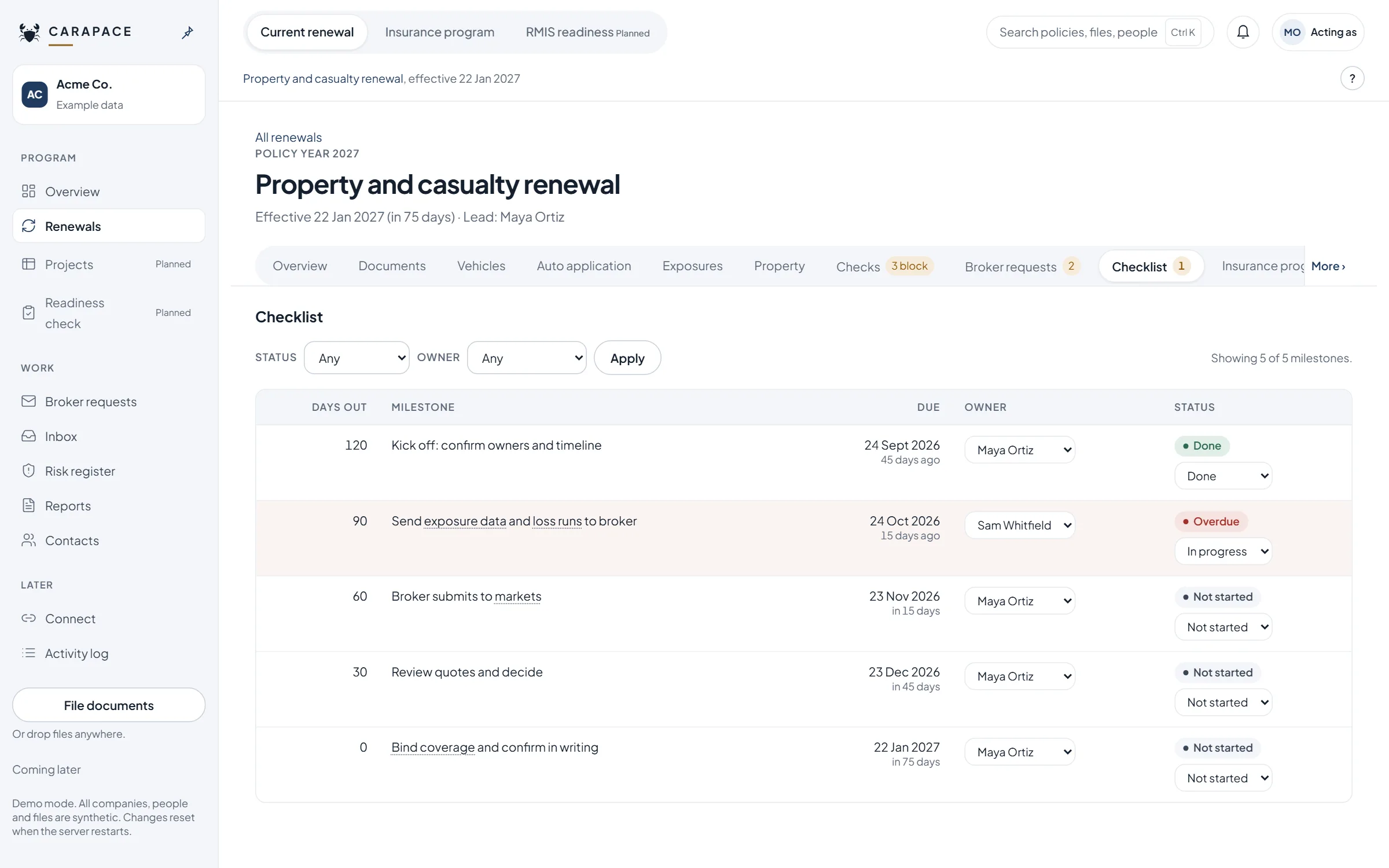
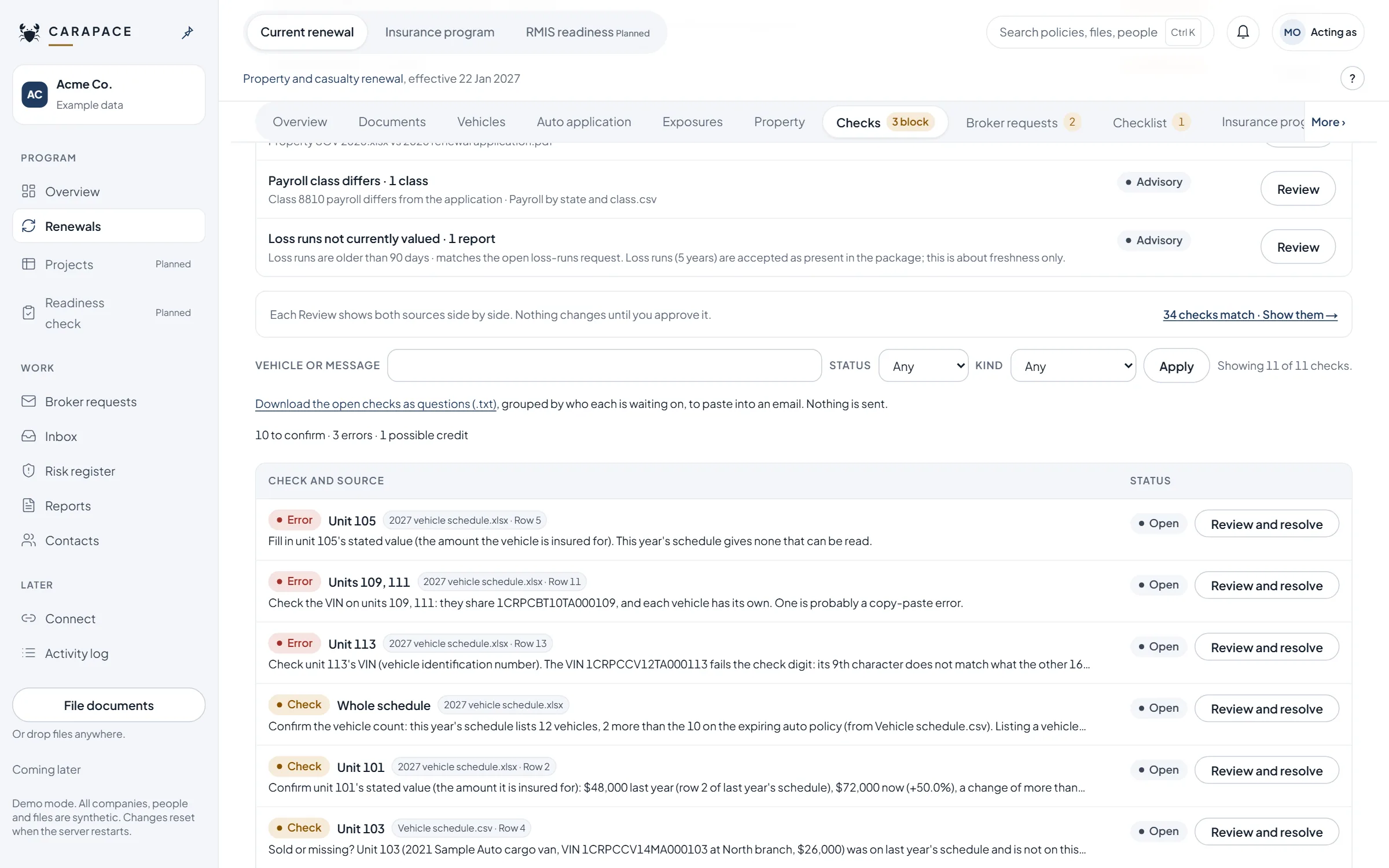
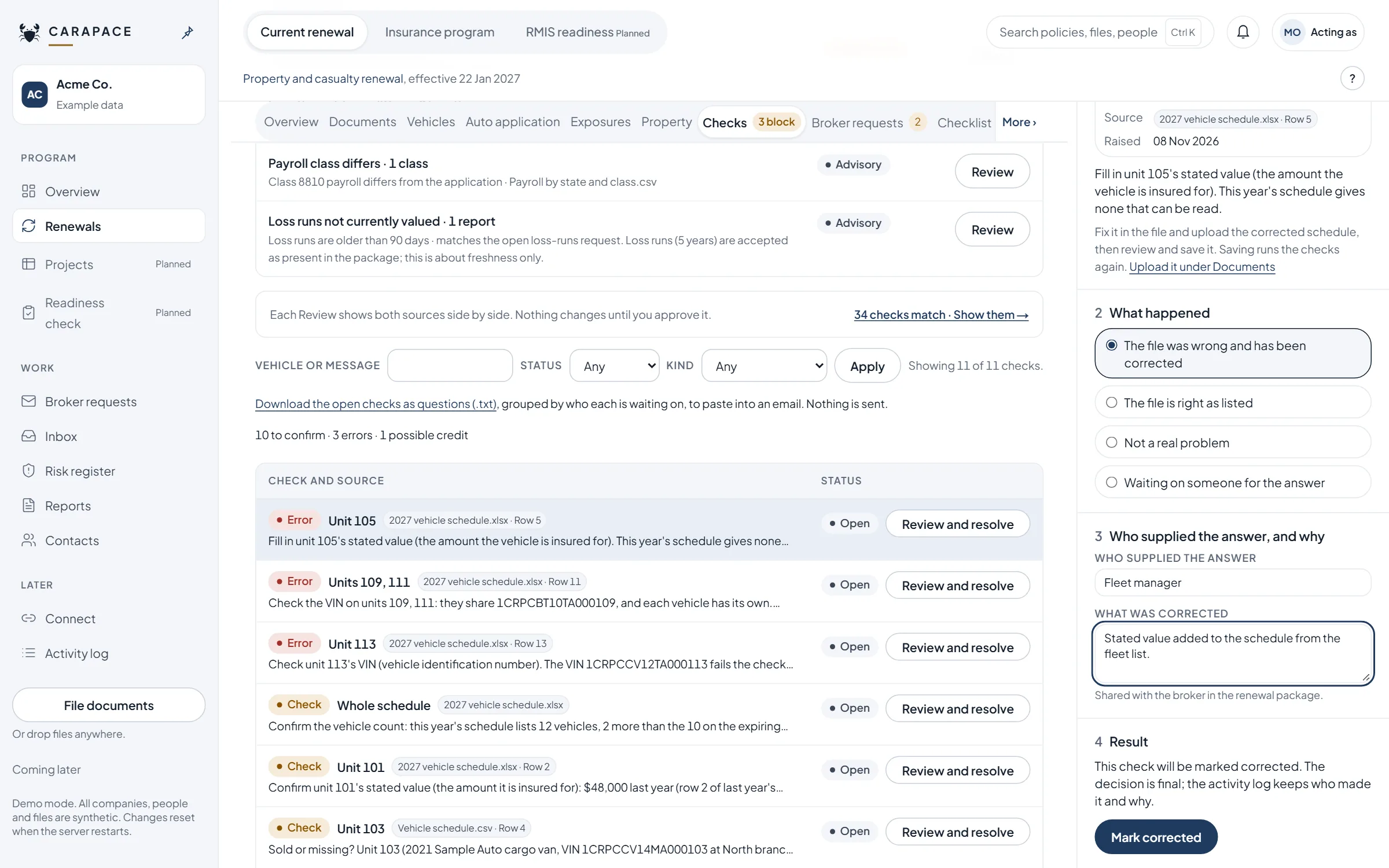
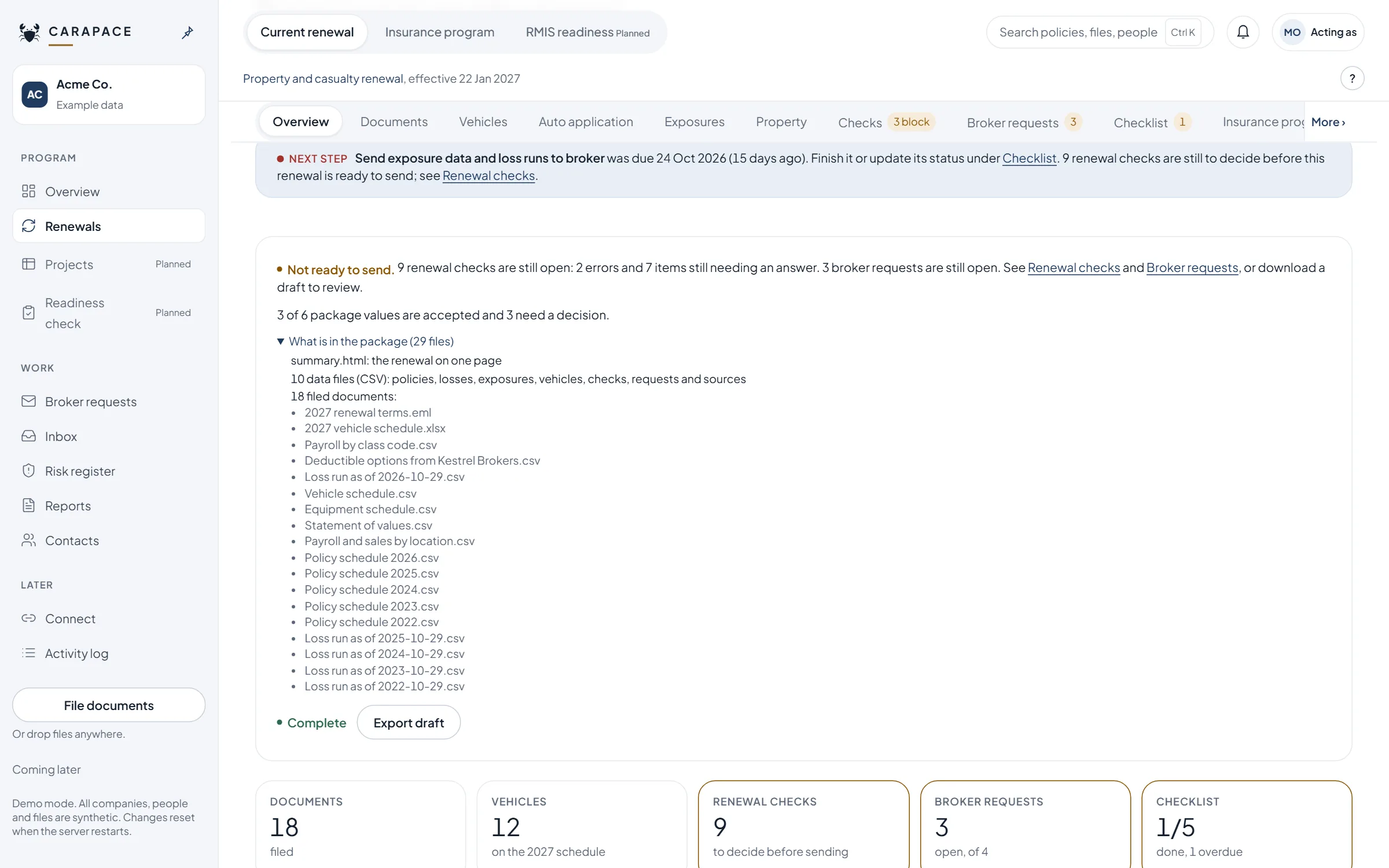
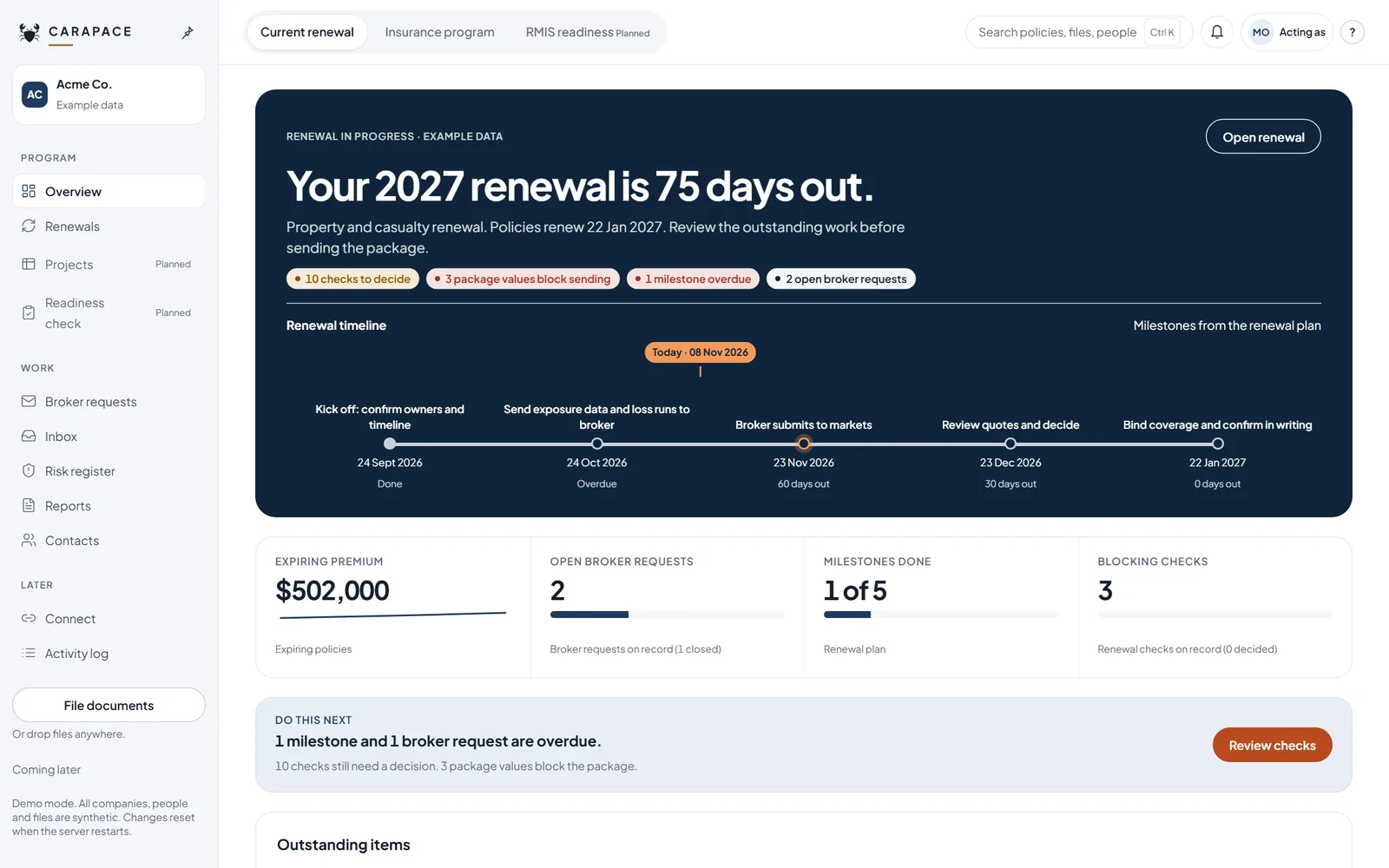
See how far out the renewal is, what is overdue and what still blocks the package.
What each module does
Spreadsheets and text PDFs: built. Scanned PDFs: in testing. Anything unclear is flagged for a person.
Renewal plan
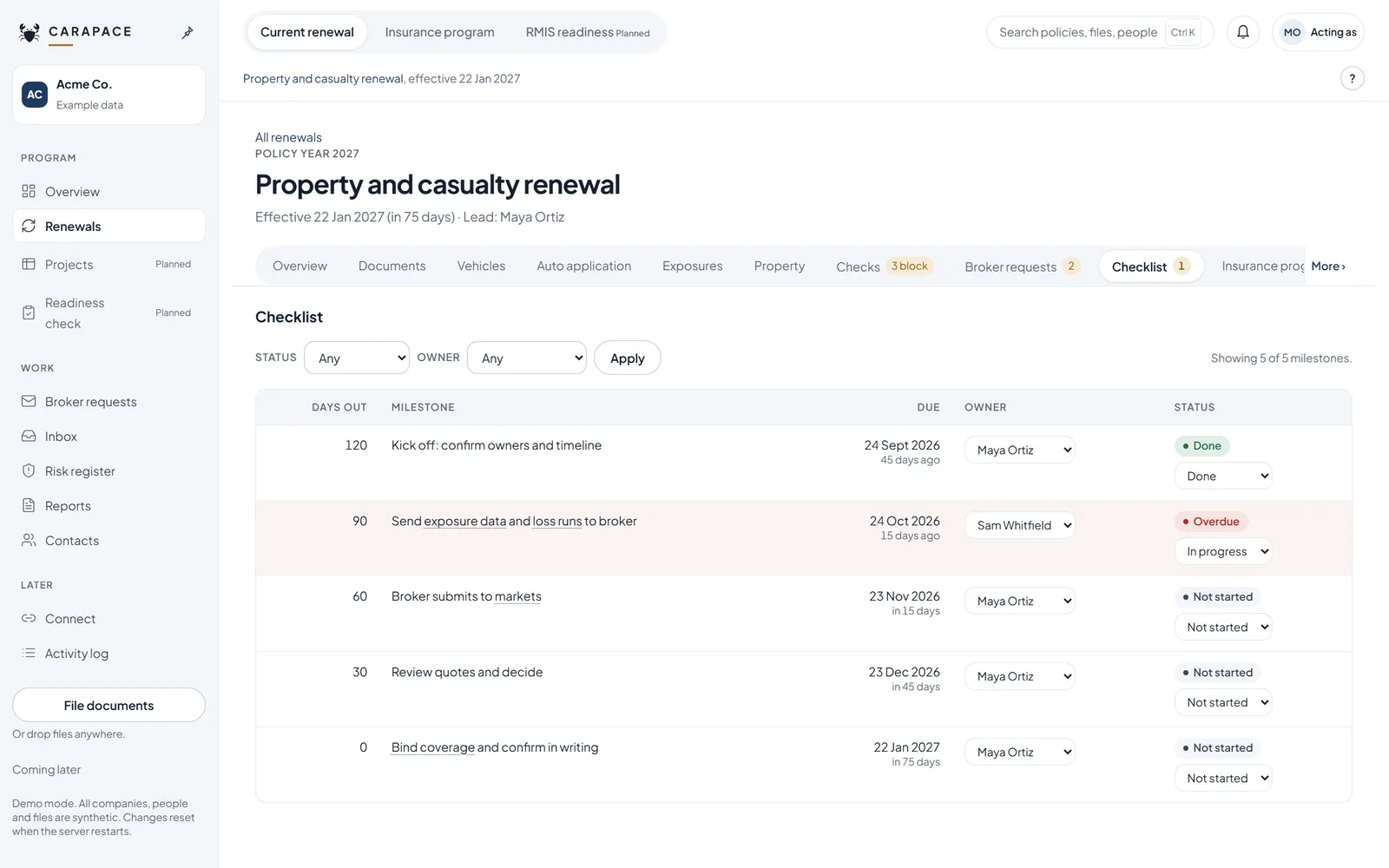
- Milestones count back from the policy date at 120, 90, 60, 30 and 0 days.
- Each milestone has an owner and a status.
- Overdue is calculated from the due date and today. Nobody types it in.
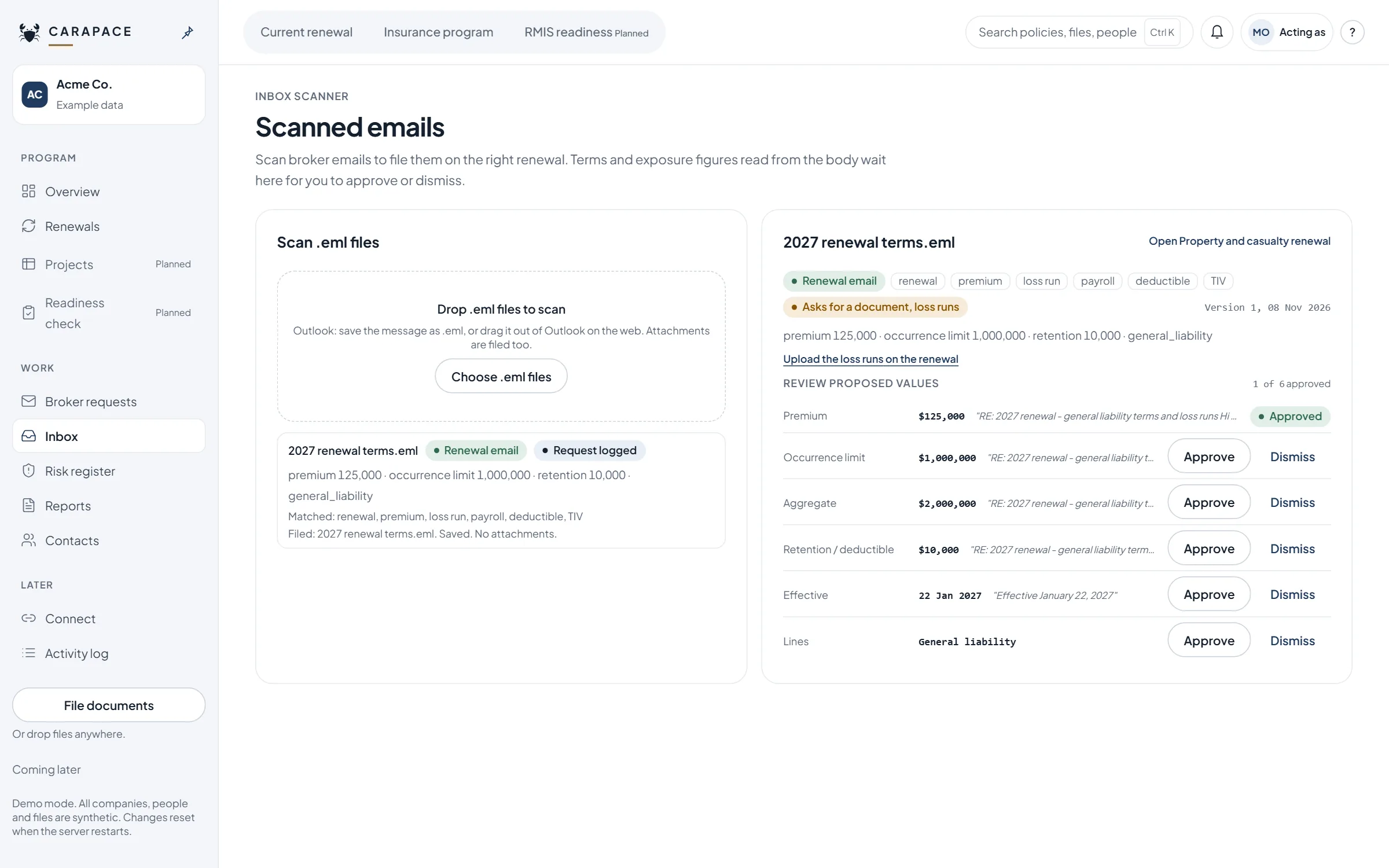
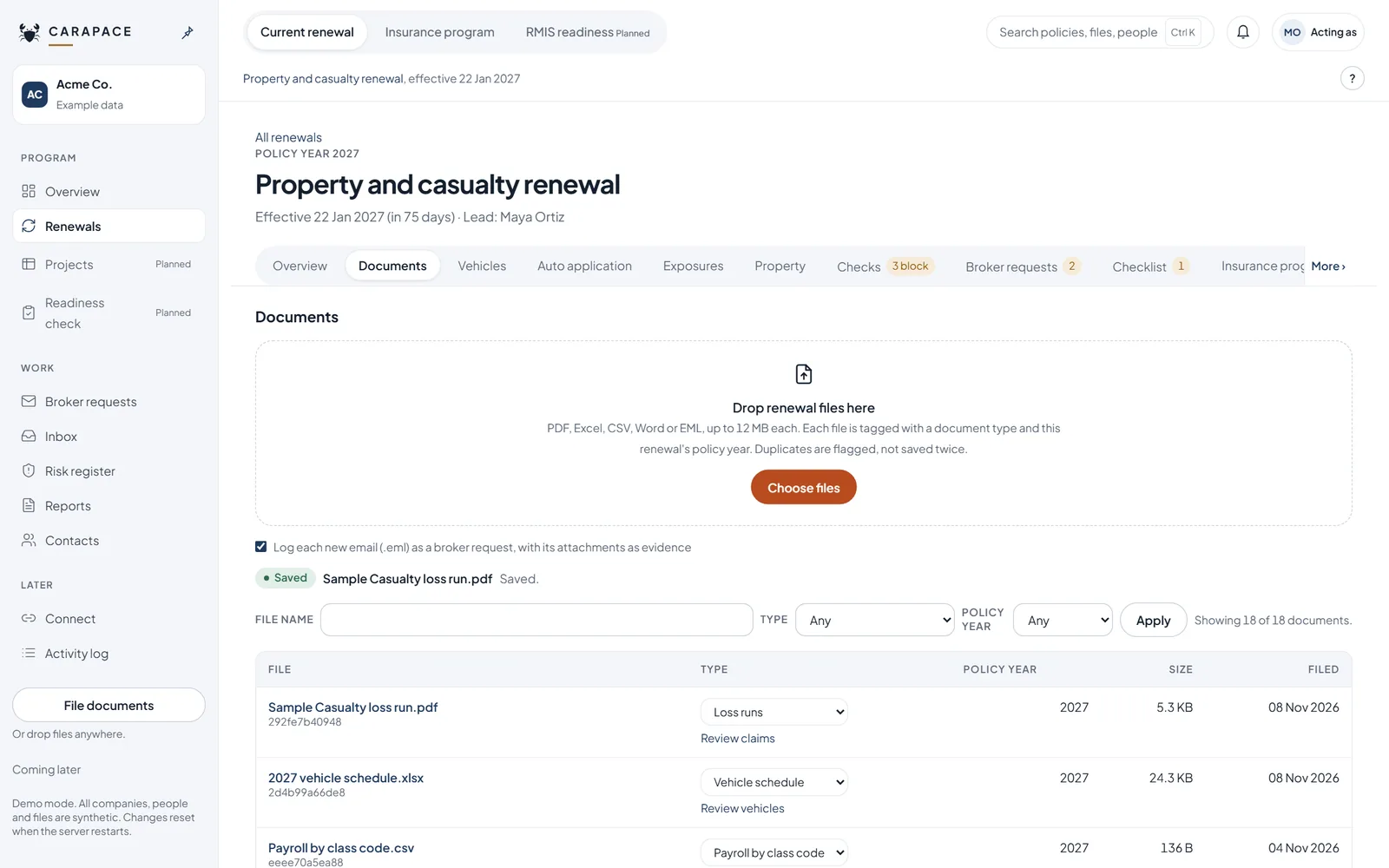
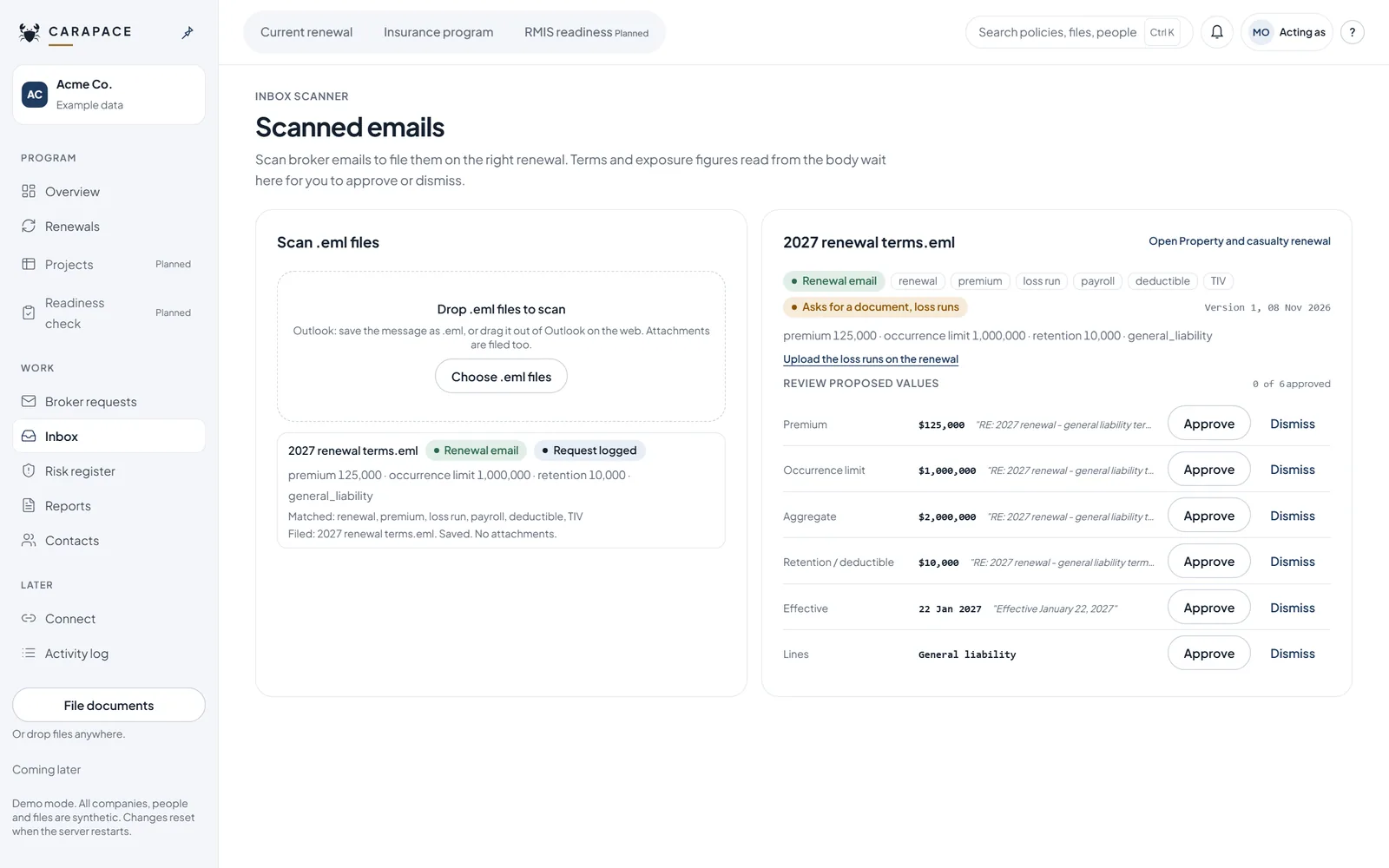
Documents and inbox
- Drop files or saved broker emails. Exact duplicates are flagged.
- An email is filed on the renewal its dates match.
- Terms read from an email wait for a person to approve or dismiss them.
Broker requests
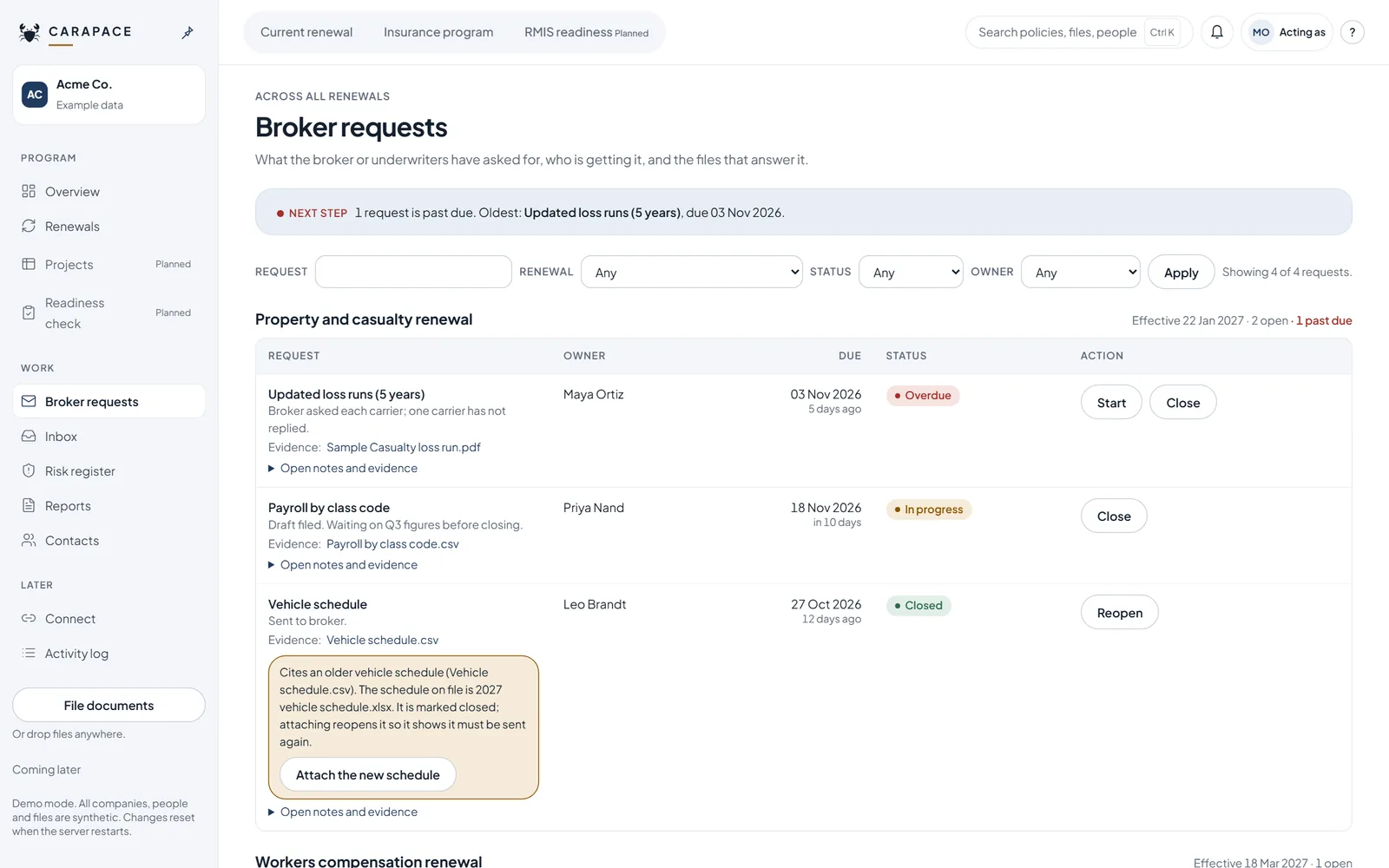
- See each request, who is waiting on whom and when it is due.
- An email you drop in can be logged as a request.
- Keep one list instead of a thread you have to search.
Renewal checks
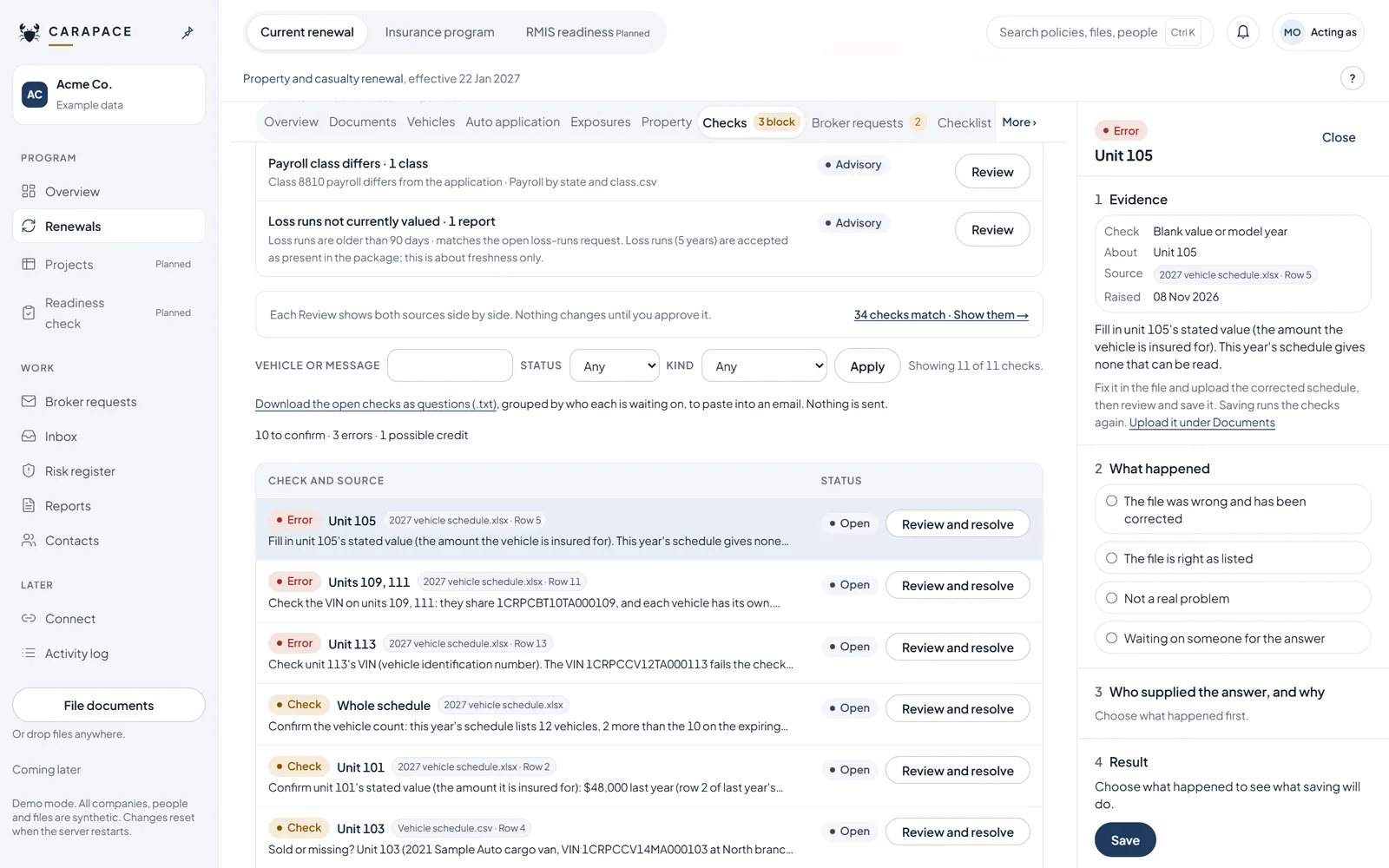
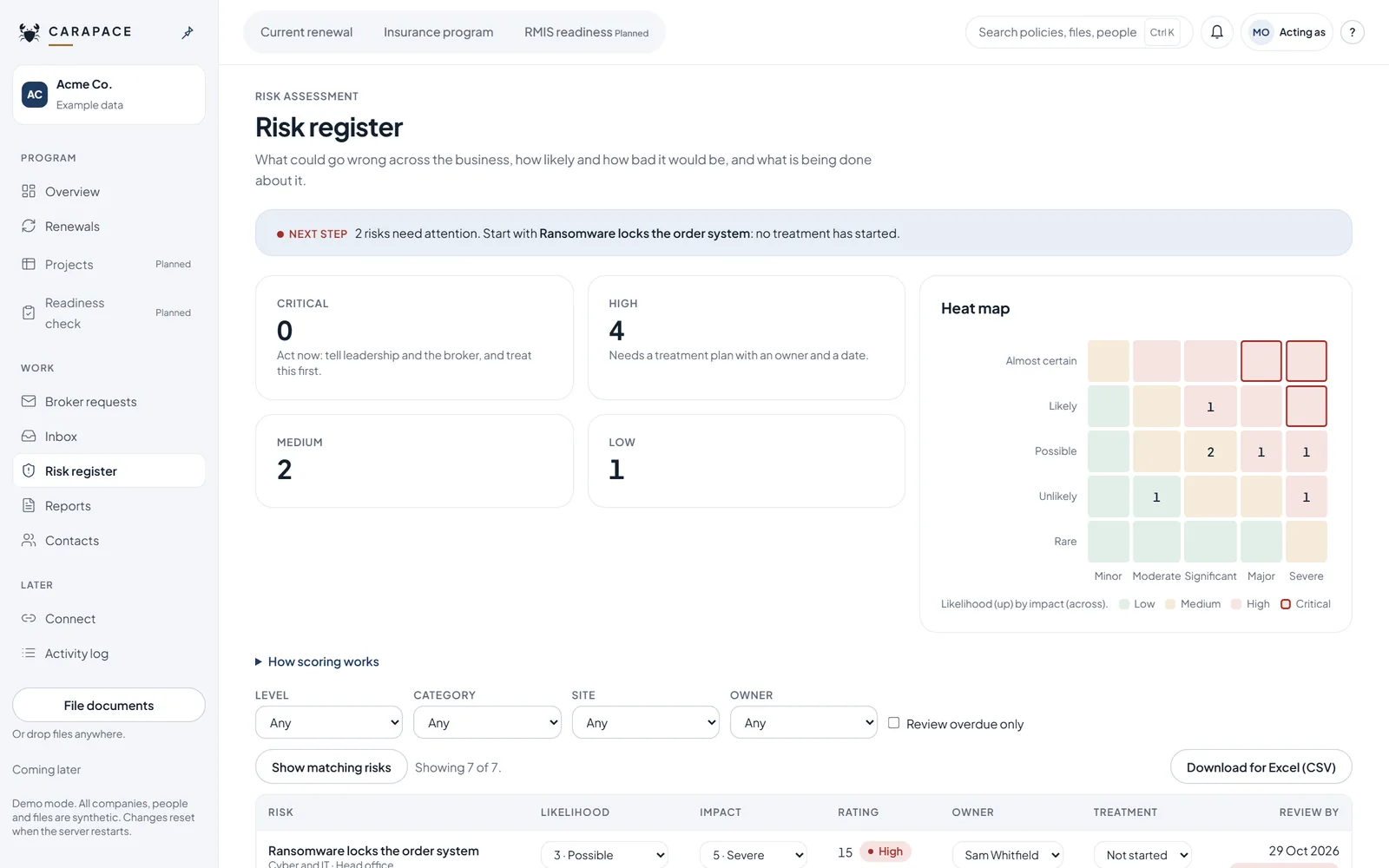
- Compare this year's vehicle schedule, property values and payroll with last year's.
- Each check shows its file and row. A person decides each check in the app.
- Correcting a check needs a reason, and the reason is kept.
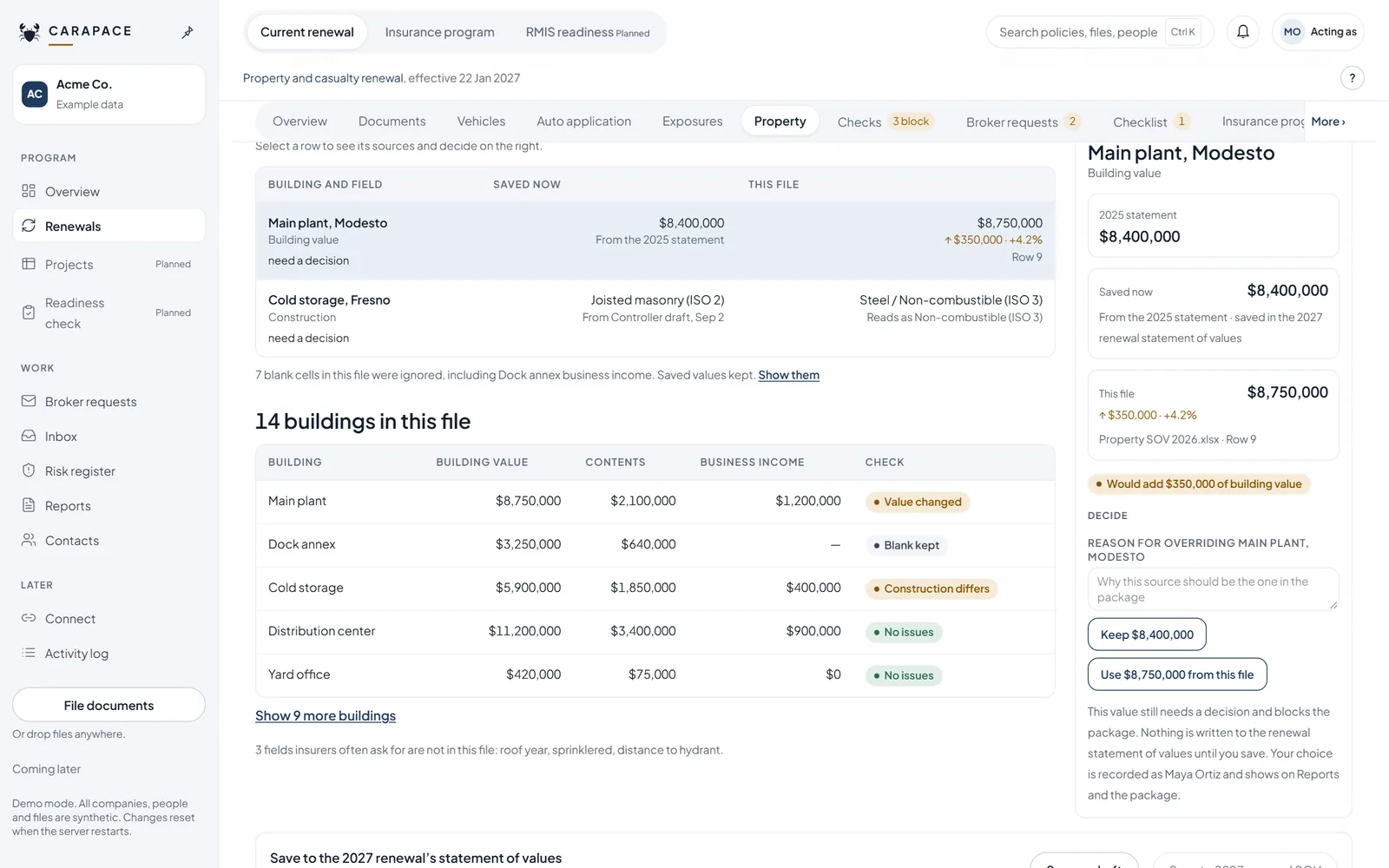
Insurance program
- See policies, limits and premiums for the renewal in one place.
- Figures show the file they came from.
- Pull the program into Excel or Power BI as a feed.
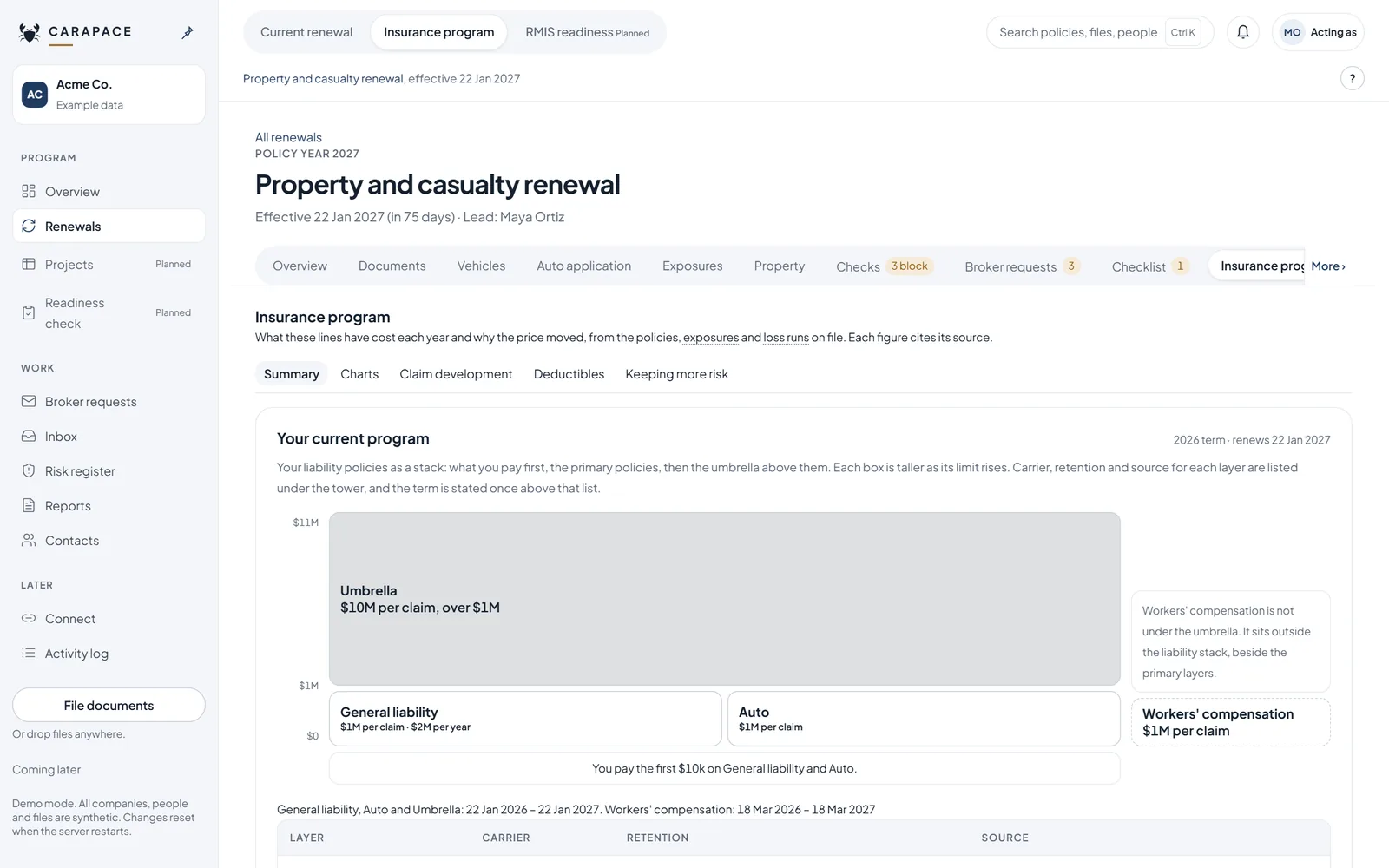
Loss runs
- Read loss runs from spreadsheets and text PDFs.
- Claims wait for a person to accept them.
- Anything unclear is flagged for a person.
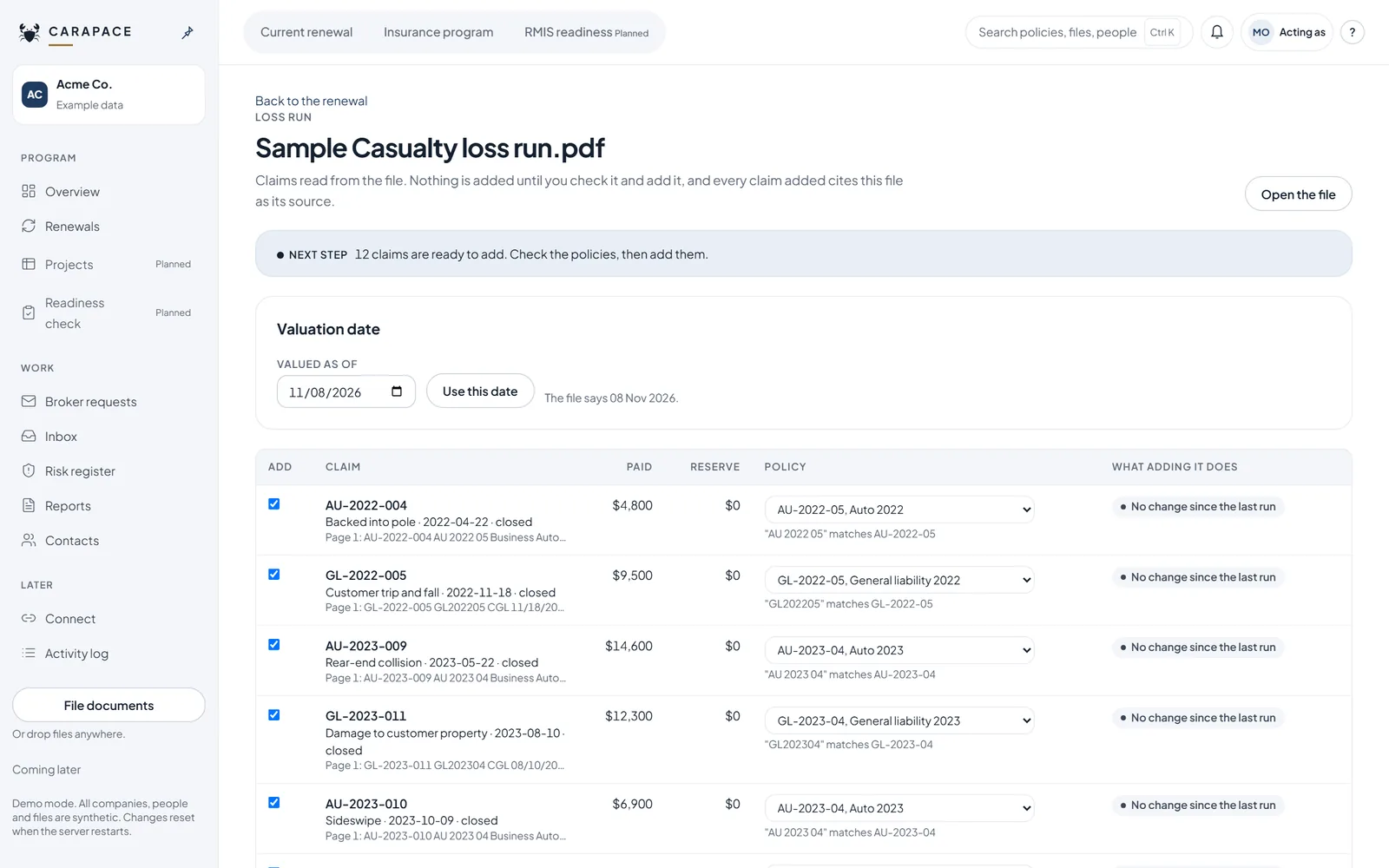
Risk register
- Give each risk an owner, a rating and a next step.
- Keep the list current between renewals.
- Pull the register into Excel or Power BI as a feed.
Reports and leadership summary
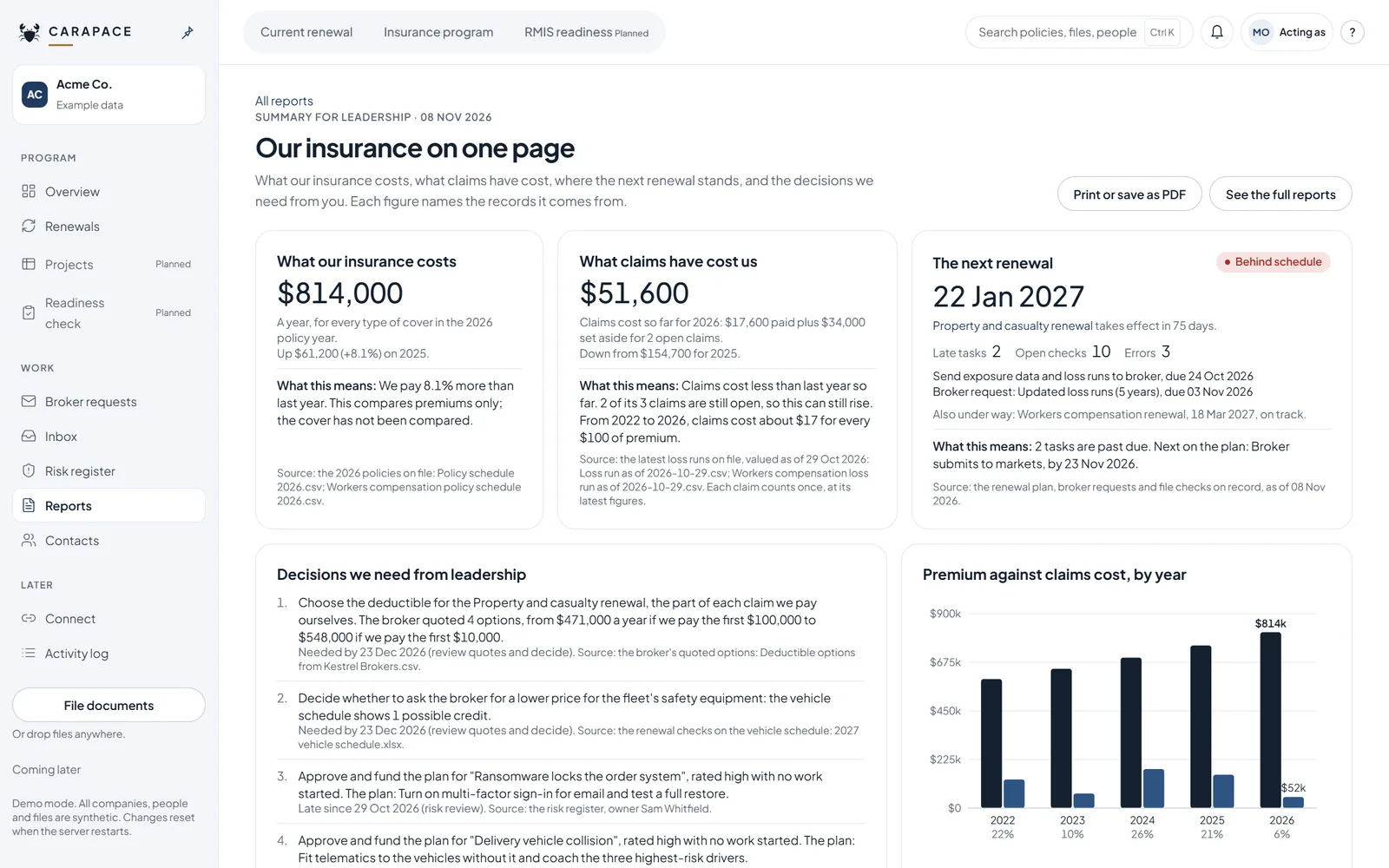
- Get the renewal on one page for leadership.
- Download a sourced package and send it yourself.
- Open items mark it as a draft.
Scanned loss runs
- Scanned PDFs are read on Microsoft Azure, with processing in the US.
- Claims still wait for a person to accept them.
- Anything unclear is flagged for a person.
Figures link back to the file and row they came from: checks, property values and exposures today. Vehicles, the risk register and who sent each file are next.
Roadmap
What works today, what is in testing and what is planned. Tell us which of these matter to you.
Today Built
- Renewal plan
- Documents and inbox
- Broker requests
- Renewal checks
- Insurance program
- Loss runs
- Risk register
- Reports and leadership summary
Now In testing
- Scanned loss runs
Later Planned
- RMIS readiness check
- Captive feasibility check
- ISO forms and endorsements
- Claims and incidents
- Carrier-ready submission export
- Year-over-year comparison
- Industry benchmarking
What goes to your broker
A person decides each check in the app. Download a sourced package and send it yourself. Open items mark it as a draft. Carapace Risk sends nothing to your broker.
Why Carapace Risk
Built to save time and money for the company that pays the premium.
Most insurance software is built for carriers and brokers. Carapace Risk is a tool for the customer: the company buying the insurance and running the renewal.
Carapace Risk works for the first one.
Time
The renewal plan, your files and your broker's emails sit in one place. This year's vehicles, property values and payroll are checked against last year's for you, not by hand.
Money
Sourced, checked figures can help your broker make the case to underwriters, and an out-of-date value can be caught before a claim finds it.
No big system needed
A full risk management system is priced for large risk departments. Carapace Risk is built for mid-sized companies, and it also fits companies under $100 million in revenue that have never had one.
How it compares
Beside the two usual alternatives: spreadsheets and email with your broker, or a system built for a large risk department.
The other two columns describe what is typical, not a named product.
Questions
My broker already gives me an RMIS
Keep it. Carapace Risk works before the broker: it checks what you send so the broker starts from clean, sourced files. The two do different jobs.
Does Carapace Risk replace my broker?
No. Your broker still places and advises on your insurance. Carapace Risk helps you get your own information in order first.
What files can it read?
Spreadsheets and text PDFs: built. Scanned PDFs: in testing. Anything unclear is flagged for a person.
Do my files train any AI?
Carapace Risk trains no models on your files. Read how we handle your data.
Where is my data kept?
During the pilot only sample or redacted data goes in. Spreadsheets and text PDFs are read by Carapace Risk itself; scanned PDFs, in testing, are read on Microsoft Azure with processing in the US. Where real files are stored will be set out in the privacy policy before launch.
Is this insurance advice?
No. Carapace Risk is software, not insurance advice, and it is not a broker. Your broker still places and advises on your insurance.
What does it cost?
Free during the pilot. After that, tiered pricing by company size.
Screens show example data with fictional companies and people.
See it with your own renewal
The pilot is free. Bring one renewal and tell us what is missing.